
Last updated: October 15, 2026
Start a form dashboard with five blocks: intake, open work, ownership, deadlines, and content. Keep FORMLOVA responses and native status as the source; maintain owner and SLA fields in a separate operating ledger. Build the actionable queue before adding charts.
Start With Five Blocks
The schemas and owner/deadline examples below describe an operating model, not automatic response columns. Native FORMLOVA status accepts only new, in_progress, resolved, and spam. Keep ownership, waiting stages, SLA timestamps, and AI suggestions in documented notes/tags, purpose-built form fields where appropriate, or a separate ledger. A needs_review flag is a review convention, not a fifth native status. When tags are updated, read and preserve the existing array. Confirm each approved status change by response ID and retrieve the record again.
The first dashboard needs only five blocks.
In the examples below, owner, due-time, and SLA-style fields describe an operations layer that you define. They are not presented as built-in FORMLOVA response columns. Keep them in an external operating ledger such as Sheets or a CRM, in form fields created for the workflow, or in a documented notes/tags convention, then reconcile them with the FORMLOVA response ID and native response status.
| Block | Question | Recommended view |
|---|---|---|
| Intake | How many submissions arrived? | Daily or weekly trend |
| Queue | What is open? | Count by status |
| Ownership | Who is responsible? | Open count by owner |
| SLA | What needs attention now? | Unassigned and overdue list |
| Content | What is arriving? | Category and selected themes |
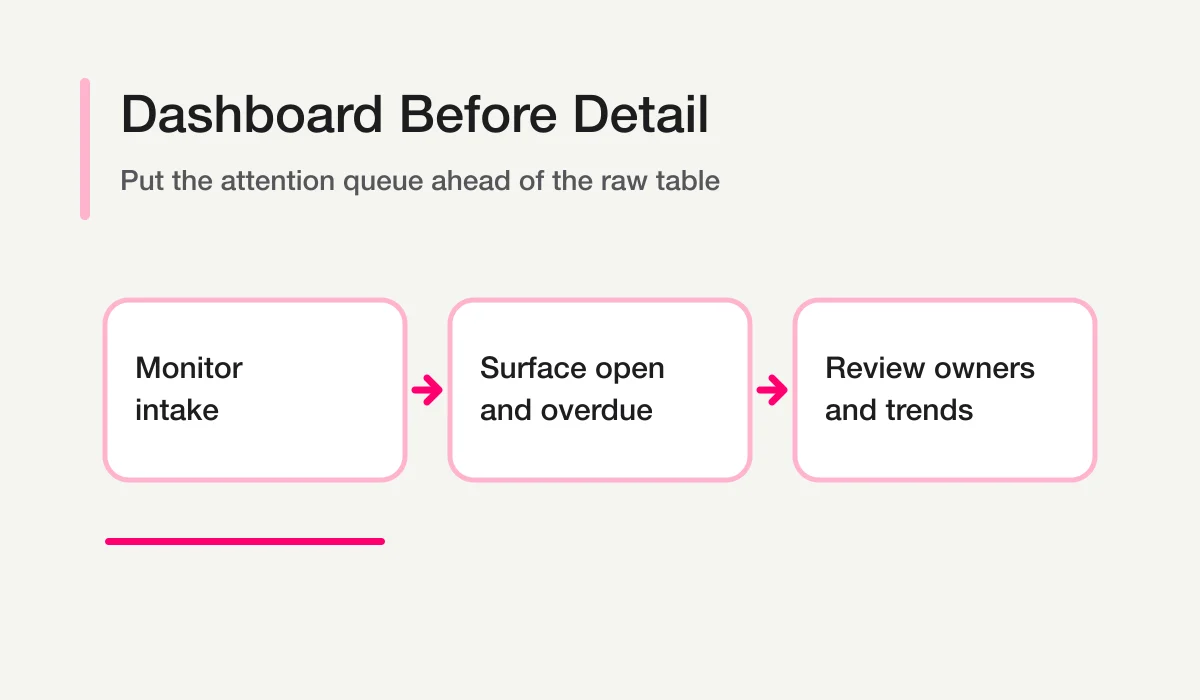
Keep definitions next to the numbers. For native FORMLOVA status, define open as new plus in_progress. A waiting reason belongs in the separate ledger while native work remains in_progress. “Response time” might mean the first automated email or the first human reply. If definitions are hidden, the dashboard creates arguments rather than decisions.
Design today’s action queue first
This is a proposed exercise, not an executed result. Begin with a draft or fictional data; use real responses only after defining the form, period, and allowed data.
Draft an unpublished inquiry form with category and desired date. Propose five dashboard blocks: intake, new/in_progress, unassigned, overdue, and category. Separate values available from FORMLOVA from values requiring an external operating ledger. Present a layout proposal, not a claim that unsupported dashboard panels or columns have been created.
Name the source and freshness of each block. Keep absent owner or deadline data visibly unknown, and verify that an authorized user can return from the queue to the original record.
Free covers form creation, publishing, collection, response search/status, export, and basic analytics. AI reasoning here runs in your connected client under that provider’s terms and any separate fees. Custom auto-reply, reminders, imports, detailed analytics, file uploads, and native automatic Sheets sync require Standard or above; bulk email and sequences require Premium or above. External-MCP recipes can be run from Free when the necessary external connections, permissions, and provider conditions are met. They do not start background monitoring merely by being copied into chat.
Create a form for an actionable review queue
Start with the draft and review exercise above on Free, then add paid automation only when the operation needs it.
Sign up free and draft this form
After signup and email verification, connect a supported AI client and use the request above. Review its draft before publishing; the AI provider’s availability, terms, and fees also apply.
Choose Metrics Before Choosing the Tool
Write each metric as a rule.
Proposed analysis or ledger schema; fields must exist or remain unknown. This is not an executed output or a native CSV schema.
new_count = status is new at the end of the reporting window
unassigned_count = owner is empty and status IN [new, in_progress]
overdue_count = due_at is before now and status IN [new, in_progress]
first_human_response_time = first human reply timestamp - submitted_at
resolution_time = resolved_at - submitted_at
Then record timezone, business-hour policy, and exclusions. A dashboard cannot repair ambiguous data after the fact.
For the broader analytical framework, read Form Analysis. For state definitions, use Form Response Status Management.
Store the Fields That Make the Dashboard Possible
MCP CSV/Excel exports contain form-answer columns and submission time, not native response IDs, status, owner, notes, or tags. Export covers the whole form; filter a controlled working copy afterward if needed. For ID/status analysis, retrieve supported response details separately rather than inventing CSV columns or joining by raw contact information. Email and phone values returned through MCP are masked; never reuse a masked value as a recipient or CRM identity key. Native Sheets automatic sync likewise writes submission time and form fields; additional owner/status columns belong in a separate working ledger. Free owner notifications are a six-hour digest, exempt from the email quota. They are different from quota-counted custom/respondent email and from a chat-generated backlog report.
A practical dashboard row usually needs the following conceptual fields. FORMLOVA does not natively provide every owner and SLA field in this list, so implement the additional values in your external ledger, purpose-built response fields, or documented notes/tags convention:
Proposed analysis or ledger schema; fields must exist or remain unknown. This is not an executed output or a native CSV schema.
response_id
form_id
submitted_at
category
source
status
owner
priority
first_response_due_at
first_human_response_at
last_activity_at
resolved_at
outcome
exclusion_reason
The message body can remain in the detail view. A shared dashboard should avoid exposing personal data that is unnecessary for monitoring. Use a response ID and short, redacted summary to link from the exception queue to the authorized record.
Design the Queue Before the Charts
The most important dashboard component is usually a short action queue.
1. Overdue high-priority responses
2. Unassigned new responses
3. Responses due in the next operating window
4. Waiting responses with no recent activity
5. Records marked needs_review
Every row needs a reason. “Overdue” should show the deadline and the rule used. “High priority” should show whether it came from a human label, deterministic rule, or AI suggestion.
Do not let a color become the only explanation. Color helps scanning, but text and timestamps make the record auditable and accessible.
Adapt the Dashboard to the Form Type
Contact forms
Emphasize unassigned, first-response deadlines, category, legitimate-versus-sales-pitch review, and owner workload. The dashboard is an operational inbox, not just a traffic report.
Booking and event forms
Emphasize the requested date, confirmation state, changes, cancellations, and questions that affect the next delivery window.
Applications
Emphasize stage, missing required information, reviewer ownership, and due dates. Do not expose sensitive application details in a broadly shared dashboard.
Surveys
Emphasize response volume, score distributions, segment filters, free-text coverage, and low-score follow-up where permission exists. Survey methodology belongs in Survey Analysis AI, not in the dashboard itself.
Decide Where the Dashboard Should Live
| Surface | Best for | Limitation |
|---|---|---|
| FORMLOVA dashboard / Live Pulse | Current operational state and quick monitoring | Not a general-purpose BI warehouse |
| Google Sheets | Flexible shared log and lightweight formulas | Status and permissions require discipline |
| BI tool | Multi-source historical reporting | Often too slow for individual response handling |
| Slack or Teams | Alerts and discussion | Messages do not prove completion |
| AI chat | Exploratory questions and summaries | Not the durable source of truth |
Use the smallest surface that supports the decision. A small team can start with a controlled Sheets view. A team that regularly assigns, escalates, replies, and audits responses benefits from keeping state in the response system and using Sheets as an export or secondary log.
For exports and synchronization, see Export Responses to CSV or Google Sheets. For broad inquiry-management tradeoffs, see Inquiry Management From a Contact Form.
Keep Chat and Dashboard Roles Separate
A dashboard answers fixed questions repeatedly. AI chat handles temporary or exploratory questions.
Dashboard:
- How many open responses exist now?
- Which owner has overdue work?
- How did weekly volume change?
- Which categories are increasing?
Chat:
- What changed in the wording of this week’s inquiries?
- Which overdue responses appear most urgent, and what evidence supports that?
- What new theme is not represented in our existing categories?
- Which dashboard definition might be hiding a problem?
The AI output should point back to dashboard definitions and response IDs. It should not create a second status system inside the conversation. Chat With Form Responses covers this boundary in detail.
Add AI as an Annotation Layer
AI can add helpful annotations:
- candidate category;
- redacted summary;
- urgency reason;
- likely owner role;
- emerging theme;
needs_reviewflag.
Show the provenance. A human-confirmed category and an AI-suggested category should not look identical. Preserve unknown rather than forcing a classification. Do not let AI silently delete, exclude, assign, or send.
Run a 15-Minute Weekly Review
Use the dashboard in the same order every week.
- Confirm the reporting window and exclusions.
- Review overdue and unassigned work.
- Check owner workload and waiting records.
- Compare intake and category mix with the previous period.
- Review low ratings and emerging free-text themes.
- Assign no more than three improvement actions.
- Record the owner and next review date.
A useful weekly note might read:
Proposed analysis or ledger schema; fields must exist or remain unknown. This is not an executed output or a native CSV schema.
Illustrative example only; not measured FORMLOVA results.
Window: August 3-9, UTC
Legitimate submissions: 64
Open: 12; unassigned: 3; overdue: 2
Main change: billing questions increased from 8% to 19%
Action: revise pricing FAQ; owner: marketing; review: September 7
Limitation: campaign outcome attribution is not reconciled
If the dashboard needs a durable event trail before weekly aggregation, start with Slack Notification + Sheets Log. In a chat execution, it can help prepare and carry out an approved alert and external log entry. Verify both destinations afterward; this does not establish an automatic event listener.
A Workflow page supplies a reusable chat prompt. Run it in an active client session and inspect the requested tools and plan requirements before execution; it does not install a per-response listener or schedule by itself. A recurring report/reminder requires supported Standard-or-above settings or a separately configured scheduler; external Slack/Sheets MCP access has its own connection and provider conditions.
For a recurring operational output, use the Inquiry Weekly Status Report. For an AI-generated content summary, use the AI Response Report.
Validate the Dashboard Against Real Records
Before the team relies on the dashboard, reconcile every block with a small set of records from the source of truth.
- Choose a fixed window with known new, in_progress, resolved, and spam examples; verify ledger assignments and waiting flags separately.
- Calculate the expected counts manually.
- Confirm that the dashboard uses the same timezone and end-of-window rule.
- Open every row in the overdue and unassigned queues.
- Check that excluded records remain auditable without entering normal totals.
- Confirm that users without permission cannot open restricted response details.
- Change one test record and verify that the expected block changes once, not twice.
Also test empty states. A zero should mean “the query ran and found no matching records,” not “the data source failed.” Show retrieval failures, stale refresh times, and missing fields explicitly. Operational users should never have to guess whether an empty panel is good news.
Finally, record freshness. A live operational surface and a nightly BI extract can both be correct while showing different moments. Add a visible “data current through” timestamp and state which dashboard should be used for immediate response handling.
Common Dashboard Mistakes
| Mistake | Result | Correction |
|---|---|---|
| One giant table | Exceptions disappear | Put a short queue first |
| Too many charts | Nobody knows what to act on | Limit the first view to five blocks |
| Notifications counted as handled | Missed replies look complete | Use explicit status and first human response |
| No exclusion policy | Tests and sales pitches distort demand | Show excluded records separately |
| Personal data on a shared screen | Unnecessary exposure | Use IDs and redacted summaries |
| AI labels shown as facts | Ambiguity is hidden | Show provenance and needs_review |
How FORMLOVA Fits
FORMLOVA provides response retrieval, summaries, analytics, and a Live Pulse view through its chat-first interface and MCP tools, while the dashboard remains available for monitoring and detail. The connected AI client can ask exploratory questions without turning the conversation into the authoritative database.
A practical setup is:
- Keep the native response status in FORMLOVA; keep owner and SLA metadata in a linked external ledger, purpose-built response fields, or a documented notes/tags convention.
- Use Live Pulse or the dashboard for current exceptions.
- Send only relevant alerts to the team channel.
- Use Sheets when a secondary operational log is genuinely needed.
- Ask the AI client for summaries and new questions.
- Confirm the native status in the response record and reconcile the linked owner/SLA record by response ID.
You can start with FORMLOVA and connect an AI client with the setup guide.
If the dashboard is one part of a larger post-submit system, continue to the FORMLOVA Form Automation Guide.
Disclosure and Verification
- Dashboard and MCP claims were checked against FORMLOVA’s local SPEC and implementation on August 13, 2026.
- This guide does not rely on a current feature or pricing claim for any third-party BI, spreadsheet, or messaging product.
Rewrite verification (October 15, 2026): the form operations, plan boundaries, export schema, and proposed exercises above were checked against the current repository. Earlier dated research below or above remains historical; the fictional examples are not measured outcomes.
