
Work Request Template: Internal Form and Completed Example
A work request should say who is asking whom to do what, why it is needed, when the result is wanted and what should be delivered. For an internal request, include the background, scope, deliverable, desired completion date, requested response date and contact for questions so the recipient can assess the work.
A desired date is not an agreed deadline. Use the template below to describe the request, then update the scope and timing after checking them with the recipient. The fictional example shows how to leave unconfirmed details visible rather than turning a request into a promise on someone else's behalf.
Help the recipient understand what they are being asked to accept
“Please update the information pack” could mean correcting text, redesigning pages, arranging printing or distributing the finished document. Separate the work you want from the work that is outside this request, and describe the result you expect to receive.
Add the reason for the request. “The contact details are out of date” gives some context. “The internal support contact has changed, so we need the contact section corrected before the next staff distribution” also explains where to focus. Qiita Team's guide to request documents discusses making the purpose, requested work and timing specific; the guide is in Japanese.
Clear information helps a recipient assess the request. It does not establish that they have capacity or that the work falls within their responsibilities. Leave a route for questions, missing information, alternative timing or a response that the request belongs elsewhere.
If the request follows a meeting, check the meeting minutes and next actions first. Transfer the agreed scope into the request rather than treating a suggestion raised in discussion as a confirmed instruction.
The core fields for an internal work request
Start with the information needed to assess the work, then choose the layout. If your organization has a required form, use its fields. Reference stable background information where appropriate instead of copying the same explanation into several records that can drift apart.
| Field | What to record | What the recipient needs to know |
|---|---|---|
| Identity | Subject, creation date, requester and intended team or intake contact | Who is asking, and which piece of work is this? |
| Background and purpose | Why the work is needed and how the result will be used | Why is it needed now? |
| Scope | Target material, requested tasks, included work and exclusions | What would accepting this request involve? |
| Deliverable | Format, destination and handoff method | What result should be ready to inspect? |
| Timing | Desired completion date, requested response date and constraints | Is that timing feasible? |
| Reference information | Authoritative document, location and confirmed changes | Can the necessary material be accessed? |
| Contact and review | Question contact, content reviewer and response method | Who can clarify or check the work? |
| After confirmation | Agreed scope and deadline, changes and confirmation date | What differs from the original request? |
Replace “urgent” or “the usual format” with the relevant date or concrete format. If a value is unknown, record what is waiting for confirmation and who can provide it. A fully populated form containing guesses is less useful than one that accurately identifies the missing information.
Copy-ready work request template
Copy the following into a document or spreadsheet, or use the sections to design an intake form. Keep the subject and request conditions easy to find. Remove sections that do not serve the type of work you are asking for.
Subject:
Created on:
Requester (team, role and contact route):
Recipient (team, role or intake contact):

1. Background and purpose:
2. Requested work and scope:
3. Work excluded from this request:
4. Deliverable and handoff method:
5. Desired completion date and reason:
6. Requested response date (feasibility or conditions):
7. Reference material and authoritative location:
8. Question contact and content reviewer:

Recipient confirmation (leave unconfirmed until checked)
- Feasibility and additional information needed:
- Agreed scope and deadline:
- Changes from the original request:
- Confirmation date and people involved:
Use separate lines for distinct tasks. Combining text corrections and print arrangements under “update the pack” can obscure who is responsible for each. Where different teams are involved, check the intake route and the boundary between their responsibilities.
Also separate the requester's entries from information confirmed with the recipient. Filling the agreed-deadline field with the desired date before receiving a response makes an unconfirmed preference look like an accepted commitment. Writing “not yet confirmed” is often clearer than leaving that field blank.
Completed example: updating an internal information pack
The following is a fictional example for explaining the format. Its dates, roles, document names and scope are editorial examples, not an actual request, completed assignment or measured product result.
| Field | Fictional entry |
|---|---|
| Subject and requester | Request to update the contact section of the internal information pack. Administration representative A sends it to the communications intake contact |
| Background and purpose | The support contact has changed. Correct the contact details before the next staff distribution |
| Work and target | Update the contact section of the authoritative Internal Procedures Guide using the confirmed change list |
| Exclusions | No overall redesign, print arrangements or distribution to staff |
| Deliverable | Updated editable source and a review PDF. Notify A through the designated internal route, with both files in the approved shared location |
| Desired completion date | November 20, to leave time for content review before distribution. This date has not been agreed with the recipient |
| Requested response date | By November 12, confirm feasibility, missing information or an alternative schedule if needed |
| Reference material | Current authoritative guide and confirmed change list. Share their approved location and check whether the recipient can open them |
| Content review | A checks the result against the change list. Additional revisions require another discussion of scope and timing |
| Recipient confirmation | Not yet confirmed. Receipt alone is not acceptance of the date or evidence that work has started |
The recipient can see what should change, what to return and which work is excluded. If the requester does not know the correct individual, they can use the designated intake contact instead of assigning a person by guesswork.
A short covering message could say: “Please review the request to update the guide's contact section. The scope and changes are listed in the request document. Could you confirm feasibility and any missing information by November 12?” This keeps the requested work and requested response distinct without hiding either behind polite but vague language.
Distinguish desired timing from an agreed deadline
Date fields are easy to confuse. The desired completion date is when the requester would like the result. The requested response date is when they would like an answer about feasibility or conditions. The agreed deadline is the date actually confirmed with the recipient. These dates can coincide, but they represent different stages of the conversation.
| Vague entry | More useful approach |
|---|---|
| As soon as possible | Explain when the result is needed, why, and when a feasibility response is requested |
| Complete by November 20 | Label it as the desired date at the request stage, then check the recipient's response |
| Update all the materials | Identify the documents, changes, deliverables and exclusions |
| Received, so in progress | Distinguish receipt, acceptance and work started; record only what is confirmed |
| Let me know when done | Give the handoff location, contact and content-check method |
Suppose the recipient replies that November 24 is possible. Do not simply overwrite the desired date and assume the distribution plan still works. Check the dependency, agree the next arrangement and record the original preference, confirmed deadline and confirmation date. If the conditions do not fit, discuss a narrower scope or a different schedule.
Treat extra work as a change to assess, even when it sounds small. “While you are there, redesign the cover” can change the deliverable and time needed. Someone accepting the original contact correction has not necessarily agreed to that addition. Keep the change and its confirmation visible.
Preserve the conditions in the recipient's reply
When a reply arrives, compare it with the requested scope, timing and prerequisites. A response that asks for more information is not an unconditional acceptance. If the recipient says they can handle only part of the work, keep that boundary visible instead of marking the entire request as agreed.
In the same fictional example, suppose the reply is: “The contact corrections could be ready on November 24, provided the change list is confirmed first.” Two questions remain. Can the distribution schedule move, and when can the requester confirm the source list? Check those points with the relevant people before recording an agreed deadline. Preserve the exclusion of printing and distribution unless it is explicitly changed.
If the reply says the request belongs to another team, confirm the correct intake route. Record who will contact it next rather than implying that the request was automatically transferred or accepted elsewhere. The updated record should show the last confirmed state and the next conversation needed.
Check reference material and the review process before sending
Read the request from the recipient's position. Can they access the reference document? Are the proposed changes supported by a confirmed list? Is there a clear person to ask when the source and the request disagree? A document name alone may lead to a similar but older file, so include its authoritative location and relevant version information.
You do not need to put passwords or authentication codes into the request to explain where material is stored. Use the organization's approved access process when the recipient cannot open it. Check the audience and necessary scope before sharing personal information or confidential documents.
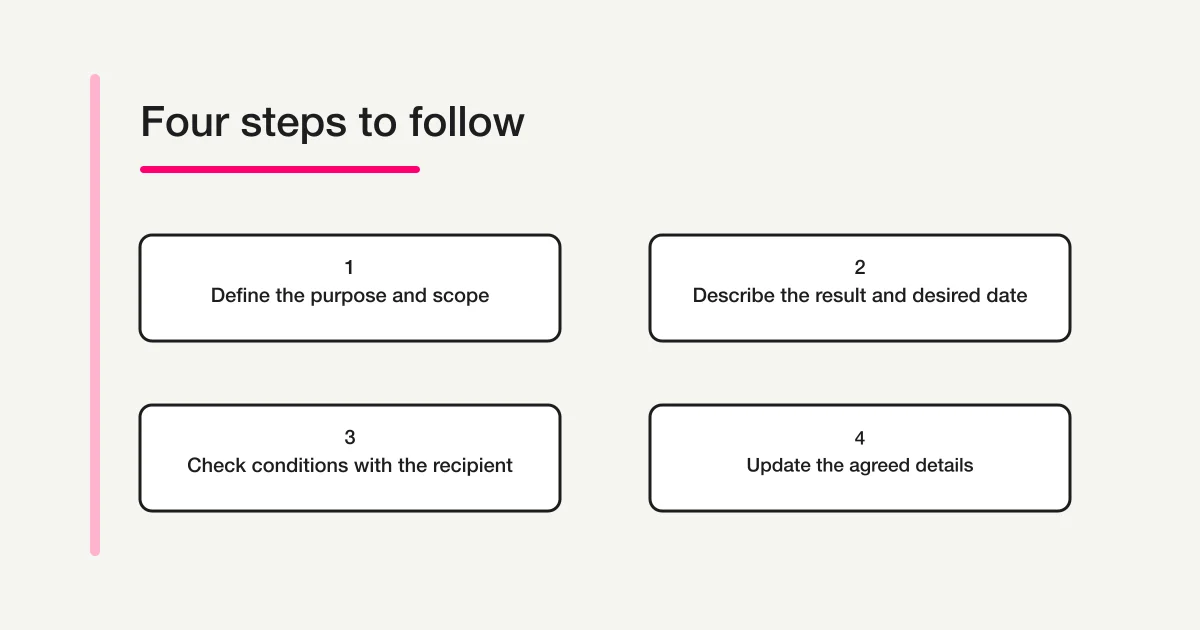
After sending, distinguish receipt, clarification, acceptance, work started, deliverable received and content checked. Not every request needs the same set of stages. Agree what counts as finished so that receiving a file is not automatically treated as reviewing and accepting its contents.
Collect internal request information in consistent fields with FORMLOVA
When several teams submit requests, consistent fields can help show whether the purpose, scope, result and timing are clear. The form creation guide explains the broader setup.
After connecting FORMLOVA to a supported AI chat, try this request to prepare an unpublished draft:
Create an unpublished draft form for internal document-update requests. Separate the subject, requester, purpose, target document, requested scope, excluded work, deliverable, desired completion date and reason, requested response date, reference location and question contact. Explain that the desired date is not an agreed deadline. Do not use attachments or password fields. Do not publish, send notifications, accept the request, assign owners or execute the work.
This is a suggested request, not the result of processing a real internal assignment. Compare the draft with the guide to form fields and input types. Enter the fictional example above and check whether the desired date and response date can be recorded separately and the exclusions remain clear.
Draft an internal request form with clear scope and desired dates
FORMLOVA's free plan includes form creation and publishing, response collection and search, basic analytics, and CSV and Excel export. Start by checking the internal-request fields in an unpublished draft.
Sign up free to draft an internal work-request form
After registering, confirm your email and connect FORMLOVA to a supported AI chat, then try the request above. Check the AI client's own terms and any separate charges with its provider.
Submitting the form records the request information. Check separately whether the recipient accepted the work, started it or approved the result. File attachments and automatic reminders are outside the free-plan scope described here.
Frequently asked questions
Should I use an email or a separate request document?
A short request can use the same headings in the email body. For a request with several conditions, a document or form can keep the details together while the email highlights the subject, requested response date and reference location. Decide which record is authoritative when several versions exist.
What if the desired date is still unknown?
Say that it is undecided and explain what information is needed to set it. Undecided does not mean no deadline. If you are asking about the recipient's availability, describe when the result will be used and which other work depends on it so the timing can be discussed.
Is a request document enough when a task owner changes?
A request describes the conditions for a particular piece of work. Transferring an ongoing responsibility also needs recurring procedures, document locations and current open items. The work handover template covers that different situation.
Disclosure and Verification
I develop FORMLOVA. I checked its current plan definitions and form-creation and response-collection specifications on November 6, 2026. The template, document-update example, suggested request and diagram are original editorial suggestions, not a record of accepted work, execution or approval. Adapt them to your organization's required format, responsibilities and sharing procedures. Specialized quote, repair, refund, purchasing, payment and contract documents, and judgments about legal effect, are outside this guide.
