
Last updated: October 15, 2026
Start inquiry management with received time, handling state, owner, first-reply deadline and next action in one source of truth. Email or Teams/Slack notifications alone do not resolve missed replies or missing ownership. A small workload can begin in a spreadsheet; reassess when shared records stop keeping pace.
Minimum management fields
| Field | Purpose | Avoid |
|---|---|---|
| Received time | Waiting age | Replacing it with forwarding time |
| Handling state | Next work stage | Treating read/notified as complete |
| Owner | Accountable person | Treating a channel as acceptance |
| Reply deadline | Priority | An unachievable universal promise |
| Next action | Work or dependency | Leaving only “in progress” |
These are business-ledger fields, not a claim of a native FORMLOVA owner column or arbitrary statuses. FORMLOVA has four statuses; use retained notes/tags or a ledger for ownership and dates.
Draft one intake and its handoff checklist
This is a proposed trial, not an operation or result measured for this rewrite. Use a private test draft first.
Create a private inquiry draft with name, email, category (buying enquiry / support / billing / other) and message. Make a checklist for owner, first-reply deadline, fallback and next action. Ask about unknown owners/dates. Do not publish, send or update actual responses.
Before proceeding, check:
- Is ownership accepted rather than merely named?
- Are deadlines, next actions and fallback defined?
- Are required fields and categories clear on mobile and desktop?
Design the work after an inquiry for free
Free includes drafts, response search/status and export. Email routing/custom replies require Standard or above; teams require Premium.
Register, verify your email, connect a supported AI client, and paste the proposed request above. Check the saved draft before publishing. AI-client account and usage requirements apply separately.
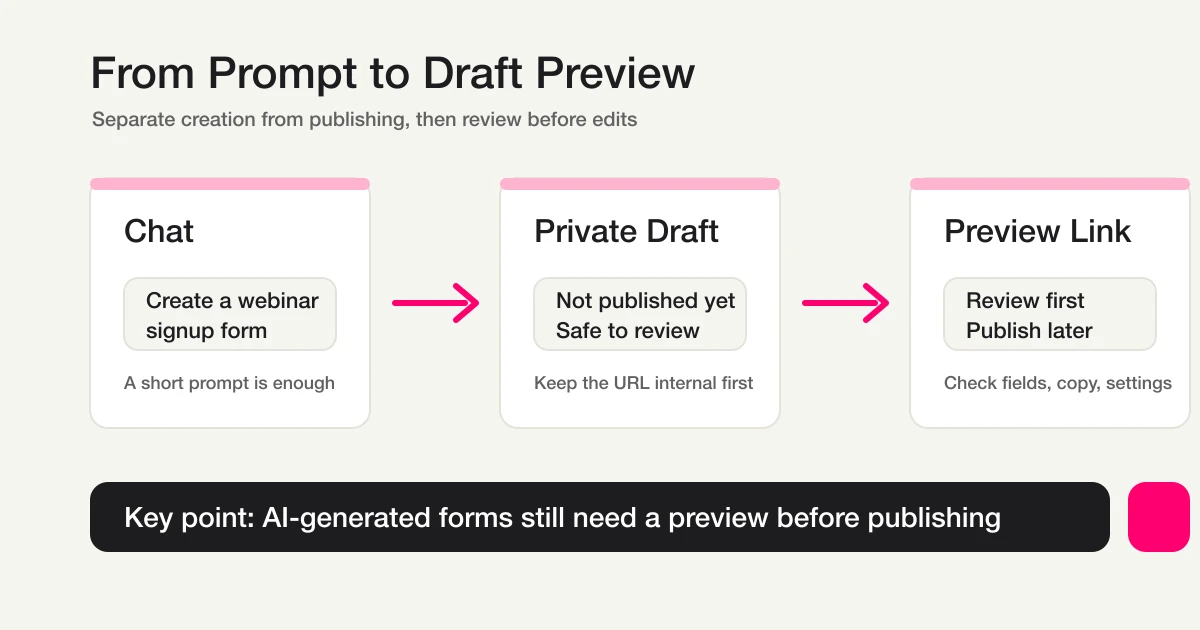
This existing conceptual diagram shows the draft-checking stage; it is not a screenshot or measurement of this article’s proposed test.
When email/spreadsheets are enough
If one small group updates the same record reliably, existing email plus a spreadsheet can work. Choose one source of truth and its updater.
Reassess when copies proliferate, statuses mean different things, sales/tests inflate new work, or reply history lives elsewhere. Test intake, ownership, deadlines, mail, search, export and permissions on the same hypothetical process. Some teams need a helpdesk or CRM rather than a form service alone.
What FORMLOVA actually manages
Identify actual responses and use new / in_progress / resolved / spam. Put waiting, ownership and due times in retained notes/tags or a ledger. Preserve existing information, retrieve after updates, and do not mark an acknowledgement or notification as resolved.
CSV/Excel output contains form fields and submission time, not a ready-made management table with owner, status and response ID. Keep added ledger columns separately. MCP email displays are masked; do not manually join them to raw addresses.
Notification and exclusion boundaries
Free response notifications are a six-hour owner digest outside outgoing-mail quota. Category-specific immediate email to arbitrary destinations needs the relevant Standard-or-above email workflow. External Teams/Slack/webhook work still needs configured destinations, permissions and execution.
Classification and handling status are separate. Sales exclusion removes sales/junk and retains suspicious/unclassified. Moving a record to spam does not establish every analysis filter, and filtered counts are not automatically qualified outcomes.
Move a small process first
Test questions, actual response review, accepted ownership, necessary replies and saved status. Retain existing email/ledgers; do not assume complete transfer of historical responses or ownership. Add paid email or integrations only after the basic process fits.
Questions and decision
Is this a CRM? Full customer/opportunity history may need a CRM. This guide focuses on making the work after intake reliable.
Does notification prevent every omission? It is a signal; ownership, deadlines and next actions still matter.
What is free? Start with the draft and review. Custom automatic replies need Standard or above; teams need Premium.
Try one enquiry's actual next action before adding more tables or notification channels.
Related Guides and References
- Contact Form Operations Guide
- Prevent Missed Contact Form Replies
- Inquiry Management with Office 365 and Teams
- Inquiry Tracking Spreadsheet Template
- Export Responses to CSV or Sync Them to Google Sheets
- Google Forms + Sheets + Apps Script Operations
- Response Status Management
- Contact Form Template Guide
- Post-Submit Workflow
- Form Auto-Reply Email Setup
- Slack Response Notification
- Contact Form Spam and Sales Defense
- Inquiry Owner Assignment
- Inquiry Auto-Reply + Escalation
- Unhandled Inquiry Digest
- Sales Pitch Filter
- Tayori: 問い合わせ管理システム・ツールとは?
- Tayori Help: フォーム受信箱内ステータス
- formrun official site
- Zendesk Help: Accessing your views of tickets
- Open the FORMLOVA setup guide
Disclosure and Verification
This guide is written by FORMLOVA’s developer. Product status, export, masking, notification and plan boundaries were checked against current specification/code on October 15, 2026. Business examples are hypothetical, not new execution results.
